Where does your title get cut off?
Two lines and a width
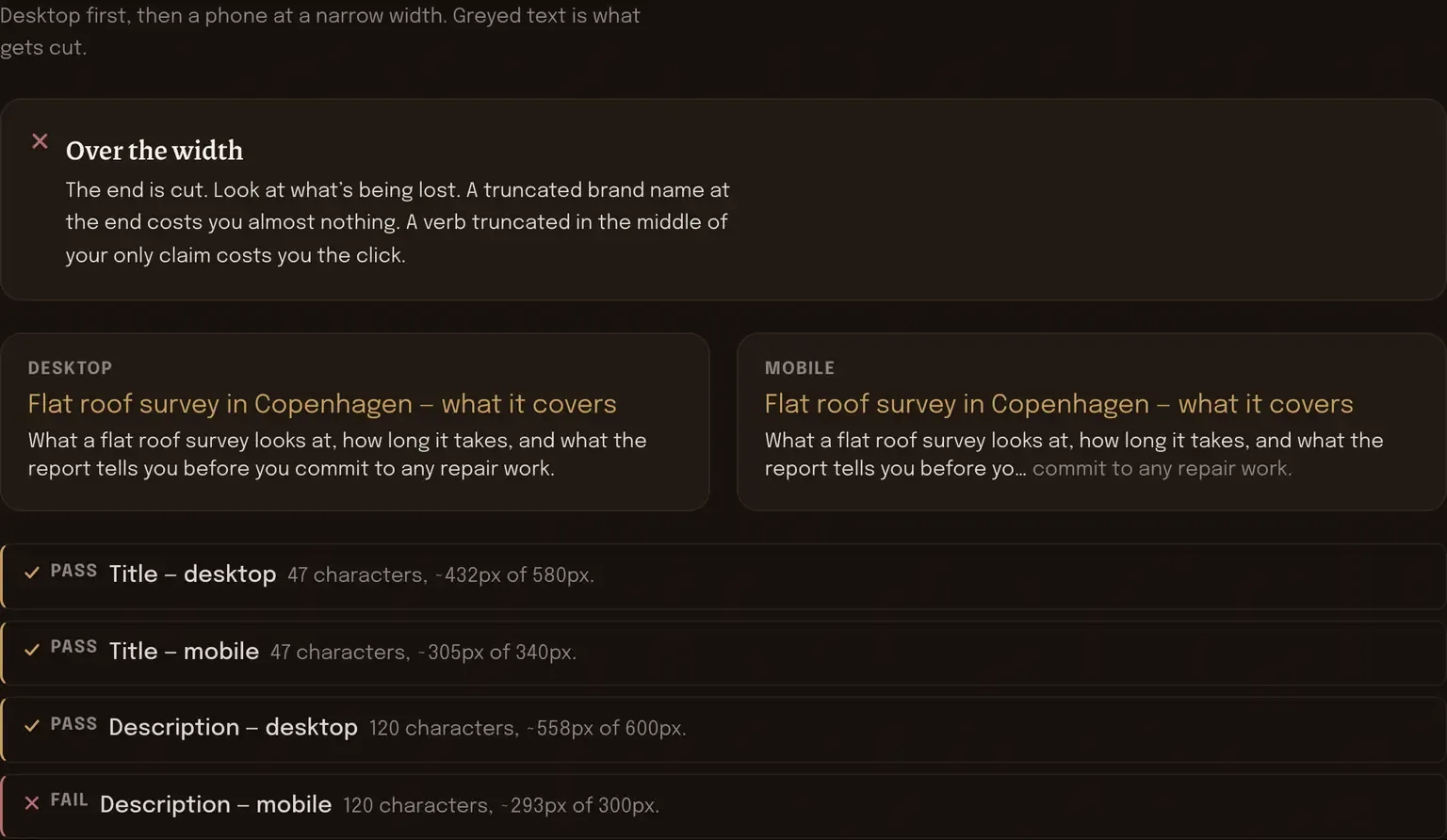
A search result gives you a title, a URL and roughly two lines of description. The cut-off isn’t a character count, it’s a width — which is why a title full of capital W’s disappears sooner than one full of lowercase i’s, and why the same title survives on a desktop and vanishes on a phone.
Type both in and this draws the cut at both widths, with the character count and the measured pixel width next to each. It won’t tell you what a search engine will actually display, because engines rewrite descriptions whenever they feel like it. It tells you whether the words you wrote can physically fit.
Empty preview. Type a title and the desktop and mobile listings draw themselves.
What to do with the cut
Look at where the cut lands, not at whether there is one. Almost every description gets trimmed on a phone and that’s fine, as long as the trimmed part was the least important part. So front-load: the thing that makes someone click goes in the first half, and the brand name, the location and the qualifiers go at the end where losing them costs nothing.
For titles, the pixel width matters more than the character count, and that’s exactly why counting characters misleads people. “Wall Mount Bracket Warranty” and “illicit millinery in illinois” are the same length and nowhere near the same width. If you’re sitting right on the line, rewriting with narrower words genuinely buys you space.
A title with room going spare deserves a second look. You have one line in front of somebody who hasn’t decided yet. A three-word title that’s mostly your company name spends that line on people who already know who you are.
The thing this can’t tell you is whether your description will be used at all. Engines frequently write their own from the page text instead, particularly when the query doesn’t match what you wrote. That’s not a reason to leave the tag blank — it’s the reason the text underneath matters as much as the tag does. AI readiness checker reads that side of it.
Every measurement here is taken by your own browser: it draws the text off-screen at the right font and reads the width back. Nothing is transmitted. It’s also why the tool can’t look up the title you already have live — paste it in, or type the one you’re considering.
Also useful here
[ found / missing ]
Meta tag and Open Graph preview
This one previews two tags you type. That one reads every tag you already have out of head markup you paste in, and names the ones that aren’t there.
[ six checks ]
URL slug analyser
The third line in a listing is the URL. This grades the slug in it for length, stop words, separators and casing.
Writing these for a whole site
Two hundred titles is a different job from one, and most of the work is deciding which pages deserve the effort. That’s part of AI & Content Visibility. AI overviews, explained is the background reading, free.